Vigor Solitaire for Seniors
Mouse GamesCard
4.9307.00 Reviews
- Version
- 2.4
- Installs
- 100.00K
- Age Rating
- Everyone
Screenshots
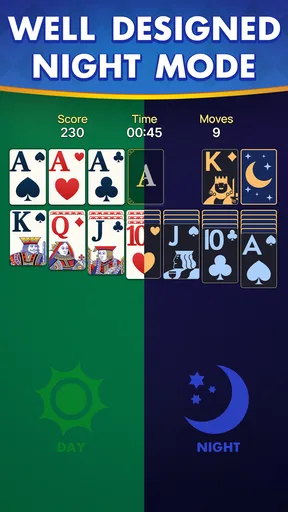
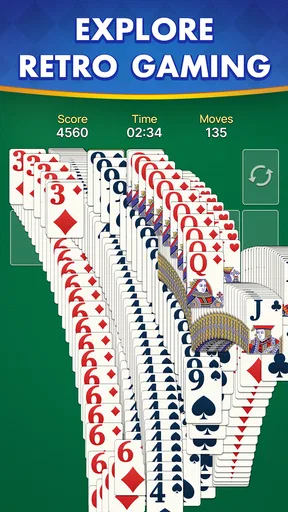
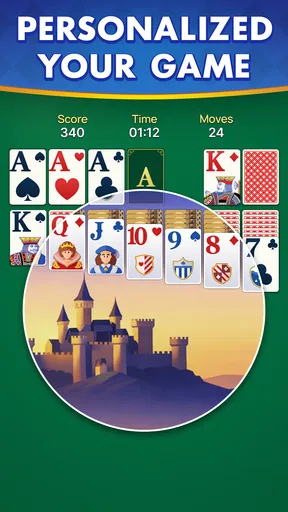
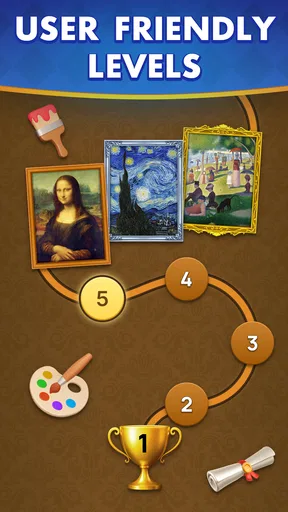
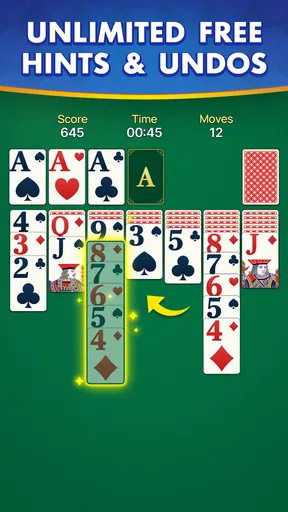
Our Review of Vigor Solitaire for Seniors
 Analysis by Appyee
I found Vigor Solitaire easy to approach from the first deal, mainly because it focuses on the familiar rhythm of a classic card game rather than surrounding it with complicated systems. It is a free card game from Mouse Games, designed for Everyone, and the large-card presentation makes its central idea especially appealing to older players or anyone who prefers clear, relaxed interactions on a phone.
After spending time with it, my impression is that this is best understood as a straightforward solitaire companion rather than a feature-packed gaming platform. You open it when you want a quiet round, make decisions at your own pace, and close it when you are finished. That simplicity is its strongest quality, although it also means people looking for competition, social play, or a deep progression system may find it too limited.
How the current version feels in everyday use
The current release is version 2.2, and the game has already attracted more than 50 thousand installs. Its average rating is 4.9 from roughly 2.8 thousand ratings, which suggests that the simple presentation is connecting with its intended audience. I would not treat a high rating as proof that every player will enjoy it, but it does fit my experience: the game is uncomplicated, readable, and quick to start.
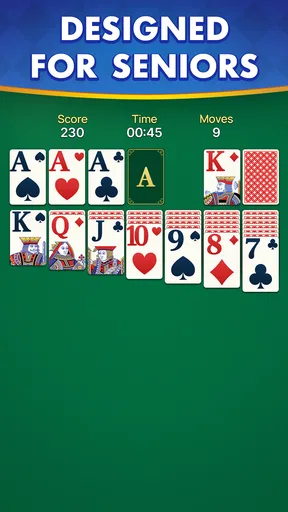
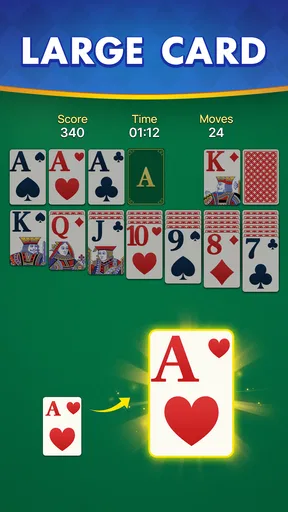
The first thing I noticed was the emphasis on card visibility. Solitaire can become frustrating on a small screen when cards are cramped or when symbols blend into the background. Here, the large-card approach makes the board feel less demanding. That matters for seniors, people with weaker eyesight, and anyone playing while tired. It also reduces the need to pinch, zoom, or repeatedly check which card is face up.
That does not make every situation effortless. Screen size, brightness, and the phone’s own display settings still affect comfort. A player using an older device with a compact screen may experience more crowding than someone using a larger handset. I recommend increasing system text or display size only if it does not interfere with the board, then testing a short game before changing anything else. The practical goal is not maximum enlargement; it is a layout that lets you recognize suits and values without hesitation.
For an ordinary daily routine, the game fits neatly into small breaks. I can imagine playing a few hands after breakfast, during a waiting-room visit, or in the evening when I want something quieter than a puzzle with a timer. Because a solitaire round does not require another person to be available, it works well for independent play. That makes it more flexible than traditional card games that depend on a partner or a full table.
A calm game with a very low learning barrier
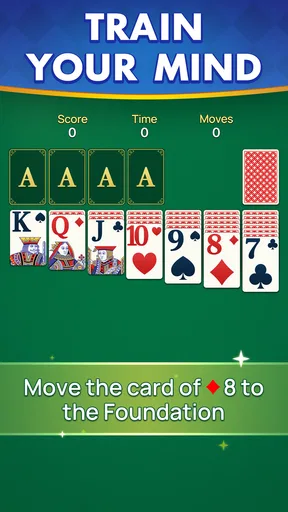
The familiar rules do most of the teaching. Someone who already knows classic solitaire can begin without studying a long tutorial, while a less experienced player can learn by watching how the cards are arranged and trying legal moves. I appreciate that the game does not need a large amount of explanation before it becomes usable.
That familiarity is particularly valuable for seniors who do not want to learn a new control scheme. The mental effort can stay on planning the next move rather than remembering which gesture opens a menu or how a special power works. If you are introducing the game to a relative, I would start by showing how to select a card and place it, then let the player practice without rushing. A short demonstration is likely more useful than a detailed verbal explanation.
There is also a subtle advantage to playing at a comfortable pace. Solitaire gives the player room to pause and inspect the board, which can make it suitable for a relaxing routine rather than a test of reflexes. That said, people who enjoy fast arcade action, live opponents, or constant rewards should not expect the same energy here. The strength is concentration without pressure, not excitement through speed.
What the version and release information tell me
The game was released on January 27, 2026, and version 2.2 is the current version. Those details place the review in a relatively early stage of the product’s life. I see that as useful context: the app is established enough to have gathered player feedback, but it is still reasonable to expect its presentation and polish to evolve over time.
I would separate what is visible now from what may come later. The present identity is clear: a large-card solitaire game with an emphasis on familiar play. I would not choose it because of imagined future additions, and I would not assume that a later update will add features such as multiplayer, richer statistics, or more customization. If those things matter to you, choose based on what you can use today.
For existing users, a version update is most meaningful when it preserves the qualities that make the game accessible. In this case, clarity should remain more important than visual decoration. A change that adds attractive effects but makes cards harder to distinguish would be a poor trade for the audience this game appears to serve. My advice is to judge future releases by whether the board remains readable, the controls remain predictable, and the game still opens into a calm experience.
Why large cards matter more than they first appear
Large cards are not merely a cosmetic choice. They change how often you need to stop and verify a move. With a compact layout, I tend to spend attention checking whether a card is a seven or a nine, or whether a symbol is black or red. A clearer layout shifts that attention back toward planning.
This is one of the most useful reasons to consider the game for an older player. The benefit is not limited to eyesight. Players with stiff fingers, limited dexterity, or a preference for deliberate tapping may find a spacious presentation less tiring than a dense alternative. It can also help people who are new to phone games because the board is easier to understand as a physical arrangement of cards.
There is a trade-off, though. Larger cards require enough room on the display, and the available space differs from phone to phone. If the game ever feels visually crowded, I would first try landscape or portrait orientation if the device and app allow it, but I would not assume every layout option exists. More importantly, I would avoid judging the game on a single hurried hand. Give your eyes a moment to adjust and play in even lighting.
How I would use it as part of a routine
My preferred use is a short, repeatable session rather than an all-day game. For example, I could play one hand with a cup of tea, stop before the activity becomes tiring, and return later when I want another quiet break. That approach keeps solitaire enjoyable and avoids turning a relaxing game into a repetitive obligation.
For a senior player, I would pair it with a simple comfort routine: sit with the phone supported, use a brightness level that does not cause glare, and keep the device close enough that cards can be read without leaning forward. These are small adjustments, but they often matter more than a game’s feature count. A clear board cannot compensate for an uncomfortable posture or reflections across the screen.
Another useful habit is to treat each hand as a small planning exercise rather than a score chase. Before moving an available card, look for whether it reveals another card or opens a useful sequence. This encourages thoughtful play and makes the game feel more satisfying even when a deal does not end in a win. It is a simple strategy, but it helps prevent random tapping and gives the player a reason to examine the whole board.
Where it compares well with other solitaire choices
Compared with a physical deck, this game is more convenient because the cards are always ready and the table does not need to be cleared. That is helpful for someone with limited space or reduced hand mobility. A digital board also avoids the problem of cards sliding or becoming mixed together, which can make physical solitaire frustrating.
Compared with more elaborate mobile solitaire apps, its appeal is restraint. Many alternatives compete for attention with multiple modes, daily challenges, animated rewards, advertisements, or layers of menus. Those extras can be enjoyable for some players, but they can also make a simple game feel busy. I would lean toward Vigor Solitaire when the priority is recognizable card play with less mental overhead.
The opposite trade-off is just as important. A larger solitaire collection may be better if you want several rule variations, detailed performance history, themed decks, or a strong sense of progression. Someone who plays every day and wants new goals could outgrow this game. Likewise, a player who enjoys online competition should look elsewhere, because a quiet solo format cannot replace the tension of playing against another person.
Small limitations that affect the decision
The biggest limitation is the narrow focus. A classic solitaire game can be wonderfully relaxing, but it may feel repetitive if you need frequent novelty. The store summary presents the familiar card experience as the main attraction, and that is exactly how I would approach it. I would not install it expecting a campaign, a story, or a broad collection of unrelated card games.
Another consideration is the difference between visual simplicity and complete accessibility. Large cards help, but they do not automatically solve every accessibility concern. A player may still need good contrast, a suitable display size, and enough precision to select the intended card. Before recommending it to someone with significant visual or motor difficulties, I would let that person try it directly rather than deciding for them.
The Everyone content rating makes it suitable for a broad audience, including families who want a gentle card game. Still, suitability is not the same as comfort. A child may find the pace too slow, while an older adult may appreciate exactly that lack of pressure. The right match depends less on age alone and more on whether the player enjoys quiet, turn-based thinking.
Because the game is free, it is easy to try without making a purchase decision first. That lowers the risk for a curious player, but I would still recommend checking how the complete experience feels during a normal session instead of relying only on the rating. A free game earns its place on my phone when it is comfortable to return to, not merely when it costs nothing.
Who should try it, and who should skip it
I would recommend it to seniors who already enjoy solitaire, people looking for a readable solo card game, and casual players who want something they can start and stop without preparation. It is also a sensible choice for someone buying a phone game for a parent or grandparent who prefers familiar rules over complicated controls.
I would be more cautious for players who need spoken guidance, extensive accessibility controls, or a large selection of alternate games. I would also point frequent competitive players toward a multiplayer card app instead. If your ideal session includes rankings, opponents, dramatic effects, or a steady stream of unlockable content, this focused format may feel too quiet.
For someone unsure, my practical test would be simple: install it, play several hands at the time of day you would normally use it, and notice whether the card faces remain comfortable to read. Then ask whether the pace feels peaceful or merely repetitive. That answer will tell you more than a high rating because solitaire preferences are strongly personal.
What I would watch as the game develops
With version 2.2 currently in place, I would watch future updates for improvements that support the central audience rather than distract from it. Better readability, dependable interaction, and a smooth return to the board would be meaningful progress. New options can be welcome, but only if they remain easy to understand and do not bury the basic game under menus.
I would also pay attention to how the developer handles the balance between simplicity and variety. A carefully added option could give regular players more reasons to return, while too many additions could weaken the calm identity that makes the game attractive. For existing users, the best evolution would preserve the large-card focus while giving them useful choices that do not demand constant attention.
The early rating and growing install count show that the current approach has found an audience, but they do not guarantee that every future change will suit every player. My own standard would be consistent: does the game remain readable for seniors, quick to start, and pleasant during a short break? If the answer stays yes, updates will be moving in the right direction.
My final recommendation
Vigor Solitaire succeeds because it understands that a classic card game does not need to be complicated to be useful. Its large-card presentation makes the familiar board more approachable, its solo format fits quiet everyday moments, and its free availability makes trying it straightforward. The developer, Mouse Games, has a clear foundation to build on in version 2.2.
I would choose it for a senior who wants a calm digital version of solitaire, especially when readability and independence matter more than variety. I would skip it for anyone seeking multiplayer competition, a broad card-game library, or a deep reward system. In my experience, the right way to appreciate it is to treat it as a dependable small ritual: open it, think through a few moves, and stop when the break is over.
Its future will be worth watching, but I would make the decision on the current experience rather than promises. If you want a focused, familiar card game that keeps the board visually prominent and the learning curve gentle, this is an easy one to try. If you need constant novelty, it is better to choose a more expansive alternative.
Privacy and Permissions
See what permissions an app requests and how it handles your data.
- Wi-Fi connection information
- view Wi-Fi connections
- Other
- view network connections, full network access, control vibration, prevent device from sleeping
Verdict
Strengths of Vigor Solitaire for Seniors
- Large cards and clear controls make it comfortable for older players.
- Simple solitaire rules allow users to start playing without a learning curve.
- Offline play is useful when traveling or away from Wi-Fi.
- Relaxed gameplay supports short sessions without time pressure.
- Helpful visual design reduces eye strain compared with standard card apps.
Limitations of Vigor Solitaire for Seniors
- Some features may be limited unless you watch ads or make in-app purchases.
- The interface can feel too basic for experienced solitaire players.
- Ads may interrupt the game or take up valuable screen space.
- Limited game variety may reduce long-term interest for frequent players.
- Performance and accessibility options can vary between older devices.
Other Releases by Mouse Games
View All
Solitaire
Card4.5
Similar Picks in This Category
View All
Solitaire - Classic Card Games
MobilityWare4.6

UNO!™
Mattel163 Limited4.3

Spider Solitaire: Card Games
MobilityWare4.6

Solitaire.com - Classic Cards
Tripledot Studios Limited4.7

Plants vs. Zombies™ Heroes
ELECTRONIC ARTS4.1

Hearthstone
Blizzard Entertainment, Inc.4.1
Frequently Asked Questions
What is Vigor Solitaire for Seniors?
Vigor Solitaire for Seniors is a card game designed to make classic solitaire easier and more comfortable for older players. It generally focuses on clear visuals, straightforward controls, readable card layouts, and relaxed gameplay rather than complicated features. Players can enjoy familiar solitaire-style rounds at their own pace, making it suitable for short sessions, daily entertainment, or casual brain-training routines.
Is Vigor Solitaire for Seniors easy to use for older adults?
The game is intended to be accessible for seniors, especially those who prefer simple menus and uncluttered gameplay. Cards are typically presented in a large, easy-to-follow format, while touch controls are designed to feel uncomplicated. However, comfort can vary depending on screen size, eyesight, and device responsiveness. It is worth checking the screenshots and accessibility options before downloading.
Does Vigor Solitaire for Seniors require an internet connection?
Solitaire games are often playable without a continuous internet connection, which can make them convenient for travel, waiting rooms, or areas with weak reception. Nevertheless, the app may still need internet access for its first installation, advertising, updates, account features, or optional services. Users should review the store listing and test the game offline if offline play is particularly important to them.
Are there advertisements or in-app purchases in Vigor Solitaire for Seniors?
The availability of advertisements and optional purchases can depend on the version of the app and the platform where it is downloaded. Many free solitaire games include ads between rounds or offer paid options to remove them. Before installing, check the Google Play or App Store information for pricing, advertising details, and purchase requirements, especially if the device is used by a senior without supervision.
Is Vigor Solitaire for Seniors suitable for people with limited vision or reduced dexterity?
The senior-focused design may be more comfortable than a standard solitaire app because it emphasizes readability and simple interaction. Even so, it should not be considered a replacement for dedicated accessibility software. People with limited vision may benefit from a larger tablet, increased system text size, or screen magnification, while users with reduced dexterity should confirm that cards can be moved with taps rather than precise dragging.
Play our best games!


